Make Your Instagram Feed Professional (No Designer Needed)

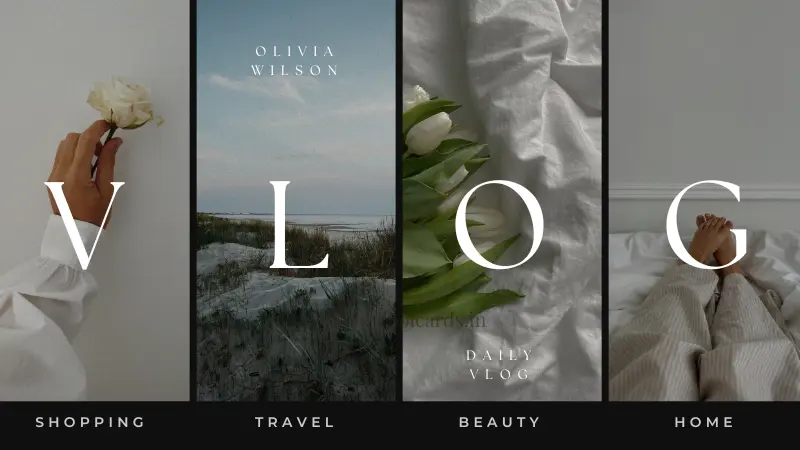
Why Your Instagram Feed Matters for Professionalism
In today's digital landscape, your Instagram feed is often the first impression potential clients, customers, or collaborators have of your brand or business. A messy, inconsistent, or unprofessional feed can deter engagement and erode trust. Conversely, a visually appealing, cohesive, and professional Instagram feed instantly communicates credibility, attention to detail, and a strong brand identity. The good news? You don't need a professional graphic designer or a hefty budget to achieve this.
Core Principles of a Professional Instagram Aesthetic
Before diving into the 'how-to,' understanding the foundational principles will guide your design choices:
Consistency is Key
Consistency is the bedrock of a professional Instagram feed. This applies to:
- Color Palette: Stick to 2-4 primary brand colors, with a few accent colors.
- Filters & Editing Style: Use the same filter or a similar editing style for all your photos to maintain a uniform look.
- Content Pillars: Define the main themes or topics you'll cover, ensuring your content aligns with your brand message.
High-Quality Visuals
Pixelated images, poor lighting, or blurry videos immediately signal a lack of professionalism. Invest time in capturing high-quality photos and videos, or source professional stock imagery where appropriate.
Define Your Brand's Visual Identity
What feelings or ideas do you want your brand to evoke? Is it minimalist, vibrant, luxurious, approachable, or bold? Your visual identity should consistently communicate this.
Practical Steps to Design Your Own Cohesive Instagram Feed
Step 1: Choose Your Vibe (Color Palette & Filters)
This is where your aesthetic begins. Think about your brand's personality and target audience.
- Select 2-3 Primary Colors: These will form the base of your feed. Use them in text overlays, graphics, and even as subtle elements in your photos.
- Find a Consistent Filter/Preset: Experiment with photo editing apps to find a filter or create a custom preset that you'll apply to every image. This ensures visual harmony across your grid.
Step 2: Plan Your Content Pillars
What kind of content will you share? Examples include behind-the-scenes, educational tips, product showcases, inspirational quotes, or client testimonials. Having 3-5 consistent content pillars helps ensure variety while staying on brand.
Step 3: Master Photography & Editing Basics
You don't need a DSLR camera. Your smartphone can do wonders with good technique:
- Good Lighting: Natural light is your best friend. Shoot near windows or outdoors during golden hour.
- Composition: Use the rule of thirds, leading lines, and negative space to create visually engaging shots.
- Editing Apps: Apps like Snapseed or Adobe Lightroom Mobile (free version available) offer powerful tools for adjustments, cropping, and applying your chosen preset.
Step 4: Utilize Grid Planning Apps
Apps like Planoly, Later, or Preview allow you to visually arrange your upcoming posts before they go live. This helps you see how your feed will look as a whole and ensure each new post flows seamlessly with the existing content.
Step 5: Incorporate Subtle Branding Elements
Integrate your brand subtly into your content:
- Branded Templates: Use Canva to create templates for quotes, announcements, or carousels that feature your brand fonts and colors.
- Consistent Fonts: If you use text in your images, stick to 1-2 brand-approved fonts.
- Watermarks (optional): A small, discreet logo can add a professional touch to original photography.
Step 6: Write Engaging & On-Brand Captions
Your visuals grab attention, but your captions foster connection. Maintain a consistent brand voice (e.g., informative, witty, encouraging) and always include a clear call-to-action.
Tools to Help You Achieve a Professional Look (No Designer Needed)
- Canva: An intuitive graphic design tool perfect for creating stunning Instagram Stories, posts with text, and branded templates.
- Lightroom Mobile/Snapseed: Essential for consistent photo editing, color correction, and applying presets.
- Grid Planning Apps (e.g., Planoly, Later, Preview): Visualize your feed's aesthetic before posting, ensuring a cohesive look.
- Unsplash/Pexels: Sources for high-quality, free stock photos if you need supplementary visuals that align with your brand.
Conclusion: Your Brand, Your Canvas
Creating a professional Instagram feed without a designer is entirely achievable with a strategic approach and the right tools. By focusing on consistency, high-quality visuals, and a clear brand identity, you can transform your Instagram into a powerful marketing tool that attracts your ideal audience and elevates your professional image. Start experimenting today, and watch your brand's visual story come to life.